
On this page18 sections
You're staring at a folder full of short clips, and every one of them needs text. Maybe it's a TikTok you want to repurpose, a Reel you need to review, or three competitor Shorts you've rewatched so many times that the hook is starting to blur together. Manual transcription turns that into a grind fast, especially when the audio is fast, compressed, and layered with music.
Automated video transcription takes the spoken words in a video and turns them into searchable, editable text. That sounds simple, but the reason it matters now is bigger than convenience. The global AI transcription market was valued at $4.5 billion in 2024 and is projected to reach $19.2 billion by 2034, with a 15.6% CAGR from 2025 to 2034, which reflects how transcription is moving into a core enterprise workflow rather than staying a side task for captions alone (market estimate and growth context).
For creators and marketers, that shift changes the job. A transcript is no longer just a subtitle file. It becomes raw material for research, repurposing, and pattern spotting across lots of videos. If you're looking for a quick way to generate subtitle files while you work on the rest of your workflow, you can also find SRT generator tools as part of your setup.
What Automated Video Transcription Is and Why It Matters Now
A creator can spend half an afternoon replaying a 60-second clip just to type the dialogue, then do the same thing again for a stack of competitor videos. That is the old method. Automated video transcription uses AI speech recognition to turn spoken audio into text, so you can search, edit, and compare video without typing every line by hand.
The value is bigger than saving time on subtitles. A transcript turns video into something you can scan for hooks, callouts, product names, or repeated phrases. It also helps teams treat video like a dataset, which is why many workflows now begin with transcription instead of manual note-taking.
From captions task to content asset
That shift shows up most clearly in short-form content. When you are comparing dozens of TikToks or Shorts, a transcript lets you move from “I think this one opened with a question” to “Here is the exact hook wording, the structure, and the CTA.” A transcript is not just a delivery format, it is also a research format.
Practical rule: if you cannot search it, you cannot scale it.
Short clips make this even more obvious. A 15-second video may look simple while you watch it once, but when you need to compare openings across many creators, the transcript becomes the fastest way to spot patterns in phrasing, pacing, and repeated prompts. That is why transcription is useful for content teams, research teams, and creator workflows that need repeatable output. Tools built around video text often pair transcription with exports and review features, because the transcript is only useful if you can do something with it afterward. If you want to see how structured access fits into that kind of workflow, this YouTube transcript API guide shows one practical approach. When teams need captions or subtitle files after transcription, they often find SRT generator tools to move from text review to publishable output.
Why the market growth matters
The market numbers help explain the timing. A sector that reaches $19.2 billion by 2034 from $4.5 billion in 2024 is growing because businesses are using machine-generated text to make video searchable, editable, and analyzable at scale (market estimate and projection).
That matters for short-form creators because the volume problem is real. If you publish often, or monitor lots of competitor videos, transcription stops being an occasional task and becomes infrastructure. The tool has to be fast enough, accurate enough, and organized enough to support ongoing use, not just one-off exports.
How It Works The Technology Behind the Scenes

A creator uploads a short clip, hits play, and a transcript appears a little later. Behind that simple result is Automatic Speech Recognition, or ASR, a system that listens to the audio track and predicts the words most likely being spoken. It does not read the video itself. It converts sound patterns into text, one segment at a time.
The three parts that do most of the work
The process usually has three layers. First, the ASR model maps speech in the audio to text. Second, a formatting layer adds punctuation, sentence breaks, and speaker turns. Third, post-processing prepares the result for export, editing, translation, or timestamping.
That extra layer matters more than many product pages admit. A raw transcript can still be hard to use if it arrives as a dense block of words, especially on short-form clips where the pacing is fast and the edits are tight. Speaker labels, timecodes, and language cleanup turn the output into something a team can review.
In real workflows, the quality gap shows up fast. A clean studio recording gives the model easy signals. A Reel with music under the voice, a TikTok cut with overlapping speech, or a podcast clip pulled into vertical format gives it far less to work with. That is why short-form transcription needs more than a generic speech-to-text pass.
According to industry statistics, automated transcription systems commonly process audio at 3x to 5x real-time speed, and some platforms can transcribe 1 hour of video in under 5 minutes. Manual transcription is often estimated at 4 to 10 hours per recorded hour, while automated transcription is often cited at $0.10 to $0.30 per minute versus $1.50 to $4.00 per minute for manual work (speed and cost comparison).
Why accuracy and speed are tied together
Speed alone does not make a transcript useful. The systems that matter are the ones that stay fast without turning cleanup into a second job. On clear, single-speaker English audio, leading models are reported at 95% to 99% accuracy, while older pre-2020 systems often sat in the 70% to 85% range.
That gap is easy to miss until you compare clips side by side. A transcript that is mostly right on a polished voiceover can still miss key phrases in a crowded short-form edit, and those misses matter if you are trying to pull hooks, CTAs, or recurring openers from a batch of videos. The model has to hold up under real conditions, not just in a demo.
Multilingual support adds another layer of usefulness because many content teams work across more than one language. Once transcription sits inside the workflow, it can feed subtitles, searchable archives, and translation pipelines instead of acting like a one-off feature. For a more technical look at how transcript extraction fits into video workflows, see this video transcription workflow guide, or use a YouTube transcript API guide to see how structured access fits into a repeatable process.

Why Short-Form Creators and Teams Need This Now
Short-form video is messy in ways product pages often skip. Audio is compressed, music beds sit under the dialogue, speakers overlap, and the pace is fast. A transcript that looks fine in a clean demo can fall apart when it hits a heavily edited Reel or a busy TikTok.
Why the usual assumptions break on social video
The core issue is not whether a tool can transcribe speech in ideal conditions. It's whether it can deal with the way social clips are typically made. Background music, poor microphones, crosstalk, and rapid delivery all push the system toward more errors, and that's where manual cleanup starts to creep back in.
That gap matters because short-form content is often the very place where teams want the transcript most. They want to extract hooks, compare structure, and see how CTAs change across a niche. If the transcript is unreliable, every downstream analysis becomes shakier.
For creators, the upside is speed and scale. Instead of rewatching the same 20 clips to pull out a hook pattern, you can search the transcript text and compare them side by side. For marketers, that changes the pace of competitor review and script research. A well-structured transcript makes it easier to spot recurring openings, transitions, and callouts, which is exactly what you need when you're trying to scale faster on YouTube with AI and reuse what you learn across formats.
Structured analysis is the real advantage
Transcription moves beyond accessibility. Teams can use the text to build a pattern library, review repeated structures, and compare how creators frame offers or push engagement. That's a very different use case from “generate captions and move on.”
A good short-form workflow can also support TikTok content strategy analysis by making hooks and CTAs searchable across many clips. Once those patterns are visible in text, they're much easier to discuss with a team than they are when they're trapped inside a stack of video files.
Short-form rule: if your workflow can't handle noisy audio, it can't really handle short-form video.
Accuracy Matters How to Evaluate and Trust Your Transcripts

A transcript can look polished and still be wrong in the places that matter most. Short-form clips make this easier to miss because the audio is often compressed, fast, and crowded with effects, music, or overlapping speech. A clean sentence on the page does not always mean the words match the clip.
The first pass should start with the audio conditions, because those shape everything else. Clear speech from one person is easier to trust than a clip with background noise, poor microphones, accents, or crosstalk. Once those conditions get worse, errors spread into timestamps and speaker labels too, and that can throw off later analysis.
What to check before trusting a transcript
Start with the parts that will affect your work most. If the clip includes product names or niche jargon, check those first. If you plan to pull quotes, build captions, or map scenes, make sure the words line up with the moment on screen.
A useful review pass usually comes down to a few checks:
- Key terms: verify brand names, jargon, and names that matter in your niche.
- Noisy sections: listen carefully where the audio gets crowded or compressed.
- Speaker labels: confirm that the labeled speaker matches the person on screen.
- Timing: make sure the transcript lands near the right moment in the clip.
Short-form video makes this step harder because the clip may only give you a few seconds to catch a mistake. If a hook is clipped or the speaker changes quickly, the transcript can still look readable while missing the actual wording. That is why a transcript for TikTok, Reels, or Shorts needs a check under actual playback conditions, not just a quick skim in a text box.
Why overlap causes so much trouble
Multi-speaker overlap can confuse both word recognition and diarization, the part that assigns speech to different people. Even when the words are close, the transcript can still point the quote at the wrong speaker, and that creates problems for reviews, clips, and competitive analysis.
A university transcription resource also notes that auto-generated transcripts often need review and correction before downstream use (institutional transcription guidance). That fits short-form work as well. Use the transcript as a first draft, then check the sections where speech is fastest, most layered, or easiest to mishear.
If you want a starting point for caption cleanup and comparison, this free video-to-text guide is a practical reference for deciding how much editing your workflow will need.
Trust the transcript less when the audio is layered, clipped, or fast, and more when the speaker is clear, isolated, and easy to follow.
Integrating Transcription into Your Workflow
Once the transcript is reliable, the value comes from how you store and reuse it. A good transcript shouldn't sit in a download folder. It should become part of a repeatable workflow where videos, notes, exports, and analysis live in one place.
Build around search, reuse, and bulk handling
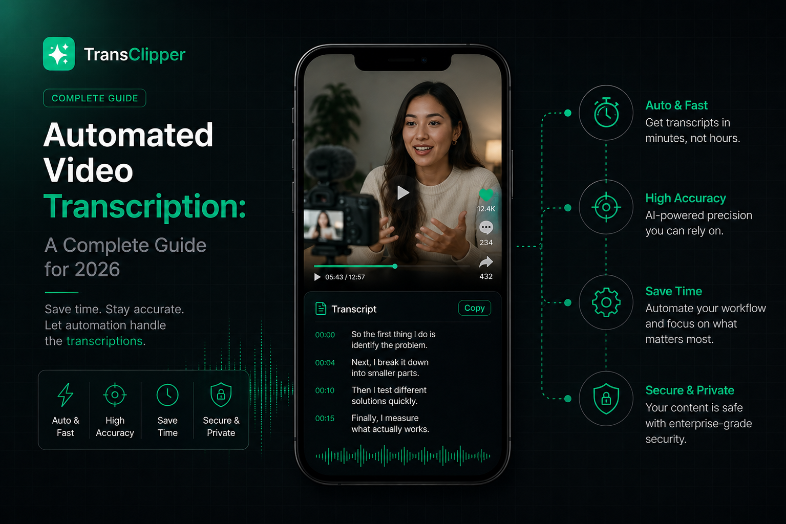
Modern tools increasingly support APIs, bulk import, and searchable libraries, which is useful if you're processing lots of clips at once. That's especially important for competitive analysis, where the transcript is less about one video and more about the pattern across many videos. One platform in this category, TransClipper, lets users paste short-form video links, receive transcripts, and review automated breakdowns of hooks, structure, and CTAs inside the same workflow.
The same logic appears in automation templates that turn video into structured content. For example, an n8n workflow can download video audio, transcribe it, and generate a blog-ready draft from a YouTube URL, which shows how transcript output can feed a publishing pipeline rather than sitting as a standalone file (workflow example).
Keep the library usable under load
Long-form or dense-dialogue video adds another complication. Research on transcript-based summarization notes that long transcripts often need chunking because models have input-length limits, and that API latency, rate limits, and memory use can become bottlenecks under heavy volume (compute and chunking constraints). That matters even if your main focus is short-form, because volume can still pile up quickly.
A clean workflow usually does three things well:
- Captures transcripts in a searchable library.
- Exports in formats your team can reuse.
- Preserves the original source link or clip reference for review later.
The transcript becomes much more valuable when your team can search it, compare it, and export it without hunting across separate tools.
For teams building AI-driven operations, it also helps to compare integration options before you commit. If you need a broader framework for that decision, this guide to choosing an AI integration service for SMEs is a useful complement to a transcription-first workflow.
Best Practices and Choosing the Right Tool
Good transcription starts before the software does. If you can improve the audio, you'll usually improve the transcript. A better microphone, less background noise, and cleaner speaker separation often save more time than any post-edit shortcut.
What to do before and after the upload
Post-edit the names, technical terms, and any quote you plan to publish. The transcript may be strong enough for analysis but still need cleanup before it becomes a caption file, a blog draft, or a quote source. That's especially true when the content includes jargon, brand names, or fast dialogue.
The rest of the decision comes down to fit. If your goal is captioning, you care a lot about accurate output and export options like SRT. If your goal is research, you care more about bulk handling, search, and the ability to compare many transcripts at once. If your goal is repurposing, timestamped segments matter because they make trimming and rewriting easier.
Here's a simple way to judge tools:
- Accuracy on your audio type: clean interviews are not the same as noisy social clips.
- Export flexibility: you may need TXT, XML, PDF, or subtitle formats.
- Search and library design: transcripts should be easy to retrieve later.
- Workflow fit: choose for captioning, research, or repurposing, not just generic transcription.
- Multilingual support: useful if your audience or source content crosses languages.
Choose with your actual content, not a demo file
A demo can hide problems that matter in real use. Test a tool with the kind of video you publish or study, not the cleanest clip in your library. If you work with short-form platforms, make sure the tool handles noisy edits, rapid delivery, and overlapping speakers well enough for your use case.
If you're comparing platforms for team use, it helps to look at how they handle transcription, search, exports, and collaboration together. That's where a tool like TransClipper fits into the conversation for short-form video work, because it combines transcription with structured analysis and library-style organization for TikTok, Instagram Reels, and YouTube Shorts.
The best workflow is the one your team will keep using. If the transcript is accurate enough, searchable enough, and easy enough to export, it stops being a file and starts becoming part of how you work.
If you're ready to turn short-form videos into searchable text and structured analysis, visit TransClipper to see how it handles transcripts, hooks, and CTA breakdowns for TikTok, Instagram Reels, and YouTube Shorts. It's a practical way to move from manual rewatching to a workflow built around search, export, and repeatable review.


