
On this page26 sections
Most advice about a YouTube transcript API starts from the wrong assumption. Developers act as if Google publishes a clean, universal endpoint for pulling transcripts from any public video, then spend days wiring around an interface that was never meant to do that job. The core problem isn't fetching one transcript, it's choosing a path that won't collapse when captions are missing, quotas are tight, or YouTube changes something upstream.
In practice, teams usually end up with one of three options, the official YouTube Data API for owned content, unofficial extraction against timed-text surfaces, or a third-party managed service that packages transcript retrieval as a developer product. If you want a broader framing for API-first extraction workflows, the practical data extraction framework is a useful companion read because it helps separate sanctioned APIs from scraping-style access patterns. That distinction matters here more than in most integrations.
The Myth of an Official YouTube Transcript API
The biggest mistake is assuming Google offers a public YouTube Transcript API for arbitrary videos. It doesn't. The YouTube Data API v3 exposes a captions resource, but that resource is tied to videos you own or videos where you have explicit OAuth permission, so it is not a universal transcript feed for public content. That boundary is why so many developers hit a wall early.
The official surface is useful, just not for the thing many users mean when they search for transcripts. Google's own API is built around caption management, not open transcript retrieval, and that distinction changes architecture, permissions, and expectations. If your workflow depends on reading captions from random public videos, you are outside the official path by design.
Practical rule: if a transcript workflow starts with “just call the Google API,” it probably only works for content you control.

What the ecosystem actually looks like
Because the official API stops short of public transcript access, the ecosystem filled the gap with unofficial libraries, internal timed-text endpoints, and managed third-party APIs. That is why “YouTube transcript API” is usually a functional label, not an official Google product name. The label describes a capability buyers want, not a platform artifact Google publishes.
This is also why procurement conversations go sideways. Engineering teams ask whether “the API” is reliable, while the correct question is which implementation they are willing to trust, how it handles endpoint changes, and how much failure they can tolerate. If you are comparing extraction strategies more broadly, the operational trade-offs are similar to the ones covered in this transcript and scraping comparison, especially when access depends on surfaces outside your control and the practical data extraction framework has to account for those same reliability gaps.
The practical takeaway is simple. Do not start by looking for an official transcript feed that does not exist. Start by deciding whether you need owned-content caption management, unofficial extraction, or a managed API that abstracts the gap.
Official YouTube Data API v3 and Its Caption Limitations
The official YouTube Data API v3 is still valuable, but its caption model is narrower than most developers expect. The captions resource supports management operations for videos you control, which makes sense for upload workflows and channel administration. It does not expose a general read endpoint for arbitrary public videos, so it can't solve the broad transcript-access problem on its own.
What the captions resource is good at
For owned content, the captions resource is the right place to list, upload, update, and download caption tracks. That makes it useful for media teams and product workflows where the authenticated account already owns the assets. The limitation is scope, not quality. Once you step outside those permissions, the official path ends.
The OAuth requirement is the part that trips teams up. The API depends on permissioned access, and the commonly cited scope for caption operations is youtube.force-ssl. That scope fits administrative use cases, but it's a poor match for public-video harvesting because the whole point of public transcript access is not needing the video owner's account.
Why rate and quota strategy still matter
Even when you're only using the official API for owned content, quotas still affect planning. The general YouTube Data API default is 10,000 units per day, which means transcript-adjacent workflows still need budgeting if they combine caption access with other video operations. That quota model is one more reason teams separate metadata retrieval from transcript extraction, rather than assuming one endpoint can cover everything.
The official API is a management interface, not a universal reader.
For a hands-on walkthrough of downloading captions in the owned-content context, the BeyondComments caption download tips are a practical reference because they stay close to the official surface instead of blurring it with public transcript assumptions. That boundary is exactly what matters in production.
A few developers also point to undocumented timed-text endpoints as a workaround. Treat those as unstable, implementation-specific behavior rather than a durable contract. If your pipeline depends on them, you're betting on an internal surface staying unchanged, which is a fragile place to build anything serious.
Third-Party Transcript APIs Compared
Managed transcript services exist because the official API does not cover public videos well. Their value is access plus the packaging around it, structured outputs, batch handling, fallback behavior, and clearer throughput expectations. Stronger services return JSON, plain text, and timestamped segments from the same request, and some also expose title, duration, and available languages as metadata.
The trade-offs that actually matter
Latency is usually the first difference you notice. Native-caption retrieval is often documented in the 5 to 10 second range, while ASR-based transcription can take 2 to 20 minutes depending on the processing path and source conditions. Translation and ASR are not just slower, they are different billing surfaces, so a transcript API can hide multiple pricing models under one interface.
Language breadth is another dividing line for developers searching for this capability. Some services support 100+ languages with translation workflows, which helps teams normalize content across markets instead of exporting English captions only. Batch capacity matters too, because production systems rarely process one video at a time. One documented API accepts up to 100 video IDs per batch request, while another caps batch transcript retrieval at 50 video IDs per request.
A comparison that reflects production reality
| Feature | Managed API A | Managed API B | Open-Source Library |
|---|---|---|---|
| Input scope | Public videos through managed access | Public videos through managed access | Unofficial timed-text extraction |
| Output formats | JSON, plain text, timestamped segments | JSON, timestamped segments, metadata | Depends on wrapper and parsing |
| Batch support | Up to 100 video IDs per request | Up to 50 video IDs per request | Usually custom loop logic |
| Language support | Native captions plus translation, 100+ languages | Native captions plus ASR fallback | Depends on endpoint behavior |
| Reliability model | Managed service conventions | Managed service conventions | No SLA, scraper-style fragility |
The decision is whether you want a product or a script. A managed API with explicit request semantics is easier to monitor and support, especially when you have retry logic, alerting, and quota planning around it. An open-source library is lighter to start with, but it pushes endpoint drift, retry behavior, and availability risk onto your team. That trade-off is acceptable for experiments. It is expensive in production.
For a broader implementation mindset, this free transcript workflow guide is a useful reference because it frames transcript access as part of a broader automation stack rather than a one-off utility call.
The procurement question should be direct. Ask which provider can tolerate endpoint changes, how they surface partial failures, and what happens when a batch request hits quota or a language selector is missing. That is the difference between a service you can run on and a service you can only test.
Authentication and Request Construction Patterns
Transcript APIs usually fall into a few authentication patterns, and the right one depends on whether the service is optimized for simple access or for enterprise-style control. The common patterns are API key headers, Bearer tokens, and OAuth-based flows. The mechanics are straightforward, but the important part is consistency, because retries and batch processing are easier when your request shape never changes.
A single-video request should be boring
A clean request usually has three things, credentials, the video identifier, and a selector for the transcript source. One production-friendly model accepts an ISO 639-1 language code, plus a source flag like auto, manual, or asr. That source flag matters because it tells downstream consumers whether they're looking at native captions or generated speech recognition.
{
  "video_id": "Gk8gB5VACZw",
  "language": "en",
  "source": "manual",
  "output": "timestamped_segments"
}
The response should be just as explicit.
{
  "video_id": "Gk8gB5VACZw",
  "language": "en",
  "source": "manual",
  "segments": [
    {
      "start": 0.0,
      "end": 3.4,
      "text": "..."
    }
  ]
}
Batch requests reduce overhead
For larger jobs, batch submission is where these APIs become useful as infrastructure instead of utilities. One documented service accepts up to 100 video IDs in a single request, while another exposes batch transcript retrieval up to 50 video IDs. That doesn't just reduce HTTP overhead, it also simplifies scheduling and lets you group work by channel, language, or priority.
The response shape should still let you map each result back to a source video. When you can't do that cleanly, retries become dangerous because you can't tell whether a partial result already got billed.
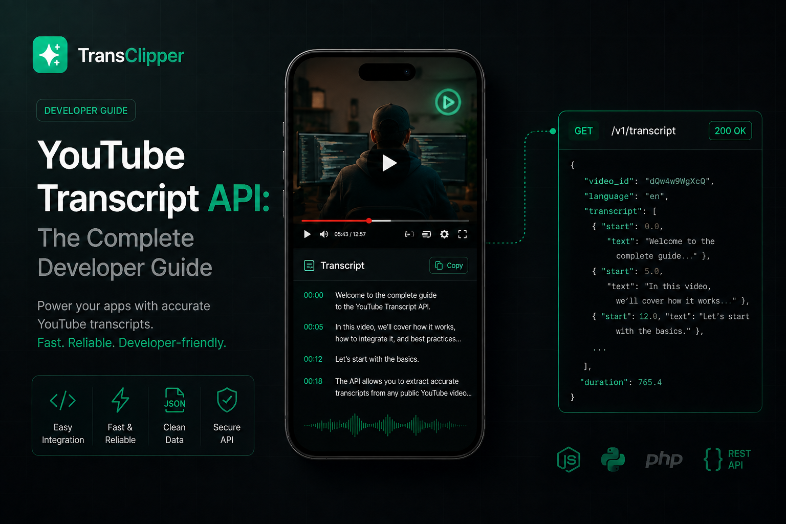
For developer-focused implementation details, the TransClipper developer docs are worth a look because they show how transcript access is exposed as a programmatic workflow rather than a one-off browser action.

Error Handling and Rate Limit Management
Transcript pipelines fail in predictable ways, and the failure shape tells you how to recover. A 429 Too Many Requests response means the service wants you to slow down, often with a Retry-After header attached. A 404 usually means the video has no transcript track available. A 403 often points to quota exhaustion or permission issues, and 5xx responses usually mean the upstream service is having trouble.
Retry logic should separate transient from permanent failures
The mistake I see most often is retrying everything. That turns a small outage into a noisy queue storm. Instead, only retry the failures that are plausibly transient, and stop immediately on permanent cases like missing captions or invalid permission states.
Practical rule: if the error means “this video can't be transcribed right now,” don't burn more requests trying to force it.
Backoff should be exponential with jitter, especially when you're working against endpoints that can throttle by IP or by key. The unofficial ecosystem has historically shown soft limits of roughly 100 to 200 requests per hour per IP, which matters if your workers fan out from a small set of hosts. On the managed side, one documented API rate limits calls to 5 requests per 10 seconds, and returns 429 Too Many Requests with Retry-After, so the client needs to respect the server's pacing rather than guessing.
Make retries idempotent or they'll cost you
Transcript APIs often charge per request or per credit, which makes idempotency a billing problem as much as a technical one. If a request times out after the upstream side already processed it, a blind retry can double-count the work. Store a request fingerprint, dedupe by video ID and source, and make sure retries don't create new billable jobs unless the previous attempt is clearly absent.
Operationally, circuit breakers and dead-letter queues are what keep a bad hour from becoming a bad day. Log the video ID, source selector, language, request ID, and response class every time a job fails. Without that, silent transcript failures become impossible to debug after the fact.
Transcript Quality and Short-Form Video Analysis
Transcript quality changes the quality of every downstream analysis step. Human-authored captions, auto-captions, and ASR transcripts all carry different error profiles, and those differences show up fast in short-form video work. A transcript that's good enough for search can still be poor for hook detection, CTA extraction, or narrative structure analysis.
Why provenance matters more on Shorts
Short-form content compresses meaning into very few seconds, so a missed word can erase the hook. If a caption source drops a negation, swaps a product name, or trims a CTA, the analysis model may classify the clip incorrectly. That's why transcript provenance should travel with the text, not get stripped away during storage.
For multilingual content, translation adds another layer of distortion. Teams often want a unified text layer for search or summarization, but translated transcripts can flatten phrasing that matters for style or urgency. When the goal is understanding why a video works, exact wording often matters more than semantic approximation.
The practical consequence is simple. Use high-confidence transcripts for indexing and retrieval, but treat more aggressive transforms with caution when the workflow is trying to infer persuasion mechanics. A hook detector that runs on noisy ASR text will produce a different pattern than one that reads clean captions, even if both outputs look readable.
If you're building around short-form research, the How to Get a YouTube Shorts Transcript guide is useful because it keeps the focus on Shorts-specific constraints instead of treating all videos as the same shape. For sentiment-oriented post-processing, PlotStudio AI's Vader tutorial is also a solid reference when you want to layer text analysis on top of transcript data without overcomplicating the pipeline.
What transcripts can't tell you
A transcript won't tell you pacing, visual editing, on-screen text, or the exact moment a viewer decides to swipe away. It can still reveal structure, wording, and argument flow, which is enough for many research workflows. Just don't let the transcript pretend to be the video.
Building a Production Transcript Pipeline
A production transcript pipeline needs to behave like any other ingest system, with backpressure, retries, storage, and observability. The easiest design to maintain is usually a queue-based workflow where an orchestrator enqueues video jobs, workers fetch transcripts, and storage persists the raw response plus normalized text. That separation keeps retrieval concerns away from search, summarization, or analytics code.
Batch, cache, and budget before you scale
Batching is the first lever. Grouping video IDs reduces API overhead and makes failure handling more predictable, especially when the provider allows 50 or 100 video IDs per request depending on the service. Caching is the second lever. If a transcript already exists, don't pay to fetch it again unless the source video changed or your business rules require a refresh.
Quota budgeting is the part teams skip and regret later. Some transcript services charge separate credits for transcript extraction, translation, or channel enumeration, so a job that looks cheap in development can become expensive at scale if each stage consumes its own quota. Track those budgets explicitly in your job metadata.
A reference architecture that survives restarts
- Orchestrator: assigns jobs, deduplicates video IDs, and records request fingerprints.
- Worker pool: fetches transcripts, applies retries only to transient failures, and writes normalized outputs.
- Storage and cache: keeps raw payloads, parsed text, and processed derivatives so repeated lookups don't hit the API again.
- Monitoring: tracks error classes, queue depth, and transcript length drift so silent failures are visible early.

A pipeline like this also makes partial failure survivable. If one batch item fails, the successful items still land in storage, and only the failed subset gets requeued. That's the difference between a useful ingestion system and a brittle cron job.
Choosing Between Open-Source and Managed Solutions
The open-source route is attractive because it looks free. The common reference point is the youtube-transcript-api project, which scrapes unofficial YouTube endpoints rather than using a managed SLA. That keeps the upfront cost low, but it also means your team owns the maintenance burden when YouTube changes behavior or when your IP reputation becomes part of the problem.
When open source makes sense
Open source can be the right choice for low-volume internal tooling, experimentation, or prototypes where breakage is acceptable. It also works better if you already have strong DevOps coverage, proxy management, and monitoring around scraper-like behavior. In those environments, the engineering cost is already assumed.
Managed services are a better fit when transcript access is user-facing, business-critical, or part of a revenue workflow. They cost more per request, but they usually give you structured outputs, explicit throughput rules, and vendor support when something breaks. That support layer matters more than the raw extraction call once other teams depend on the result.
A practical decision matrix
| Requirement | Open Source | Managed API |
|---|---|---|
| Low volume experiments | Good fit | Usually overkill |
| Client-facing production use | Fragile | Stronger fit |
| Need for SLA or support | No | Yes |
| Desire to avoid endpoint maintenance | No | Yes |
| Tolerance for blocked requests | High | Low |
If you only need a quick transcript from a few public videos, the open-source path can be enough. If you need a dependable pipeline for hundreds of clips, the managed route is usually the less expensive choice in real engineering time, even if the invoice line is higher.
Integrating Transcripts into Short-Form Research Workflows
Transcript APIs become useful when they feed a research loop instead of a text dump. A common workflow is to paste a batch of short-form links, pull transcript text, and run structured analysis on hook, problem, twist, payoff, and CTA placement. That turns a transcript into a searchable artifact instead of a static export.
In a tool like TransClipper, the transcript API accepts a YouTube watch link through POST /api/v1/transcripts and returns transcript data after polling for completion. That fits a workflow where research teams import videos in bulk, store the text in a library, and then search or export the result set for competitive analysis. The value is not the transcript alone, it's the transcript plus structured annotations and team access.
A practical use case looks like this. A brand team collects competitor Shorts, waits for transcript completion, and then groups clips by hook pattern and CTA style. From there, analysts can compare which phrasing appears repeatedly, which openings lead into product claims, and where the payoff lands in the structure. The transcript is the input layer for that judgment, not the judgment itself.
Quick Reference and Implementation Checklist
Use this checklist when you evaluate or ship a youtube transcript api workflow.
- API evaluation: check rate limits, review pricing, and test transcript accuracy on real videos.
- Code implementation: set up authentication, handle pagination or batching, and implement retries with idempotency.
- Monitoring: track error rates, log transcript length, and alert on sudden shifts in failure patterns.
Key terms
- ASR: audio speech recognition, used when captions are missing.
- Native captions: captions that already exist on the video.
- Timed-text: the structured text timing data some tools extract from YouTube surfaces.
- OAuth scopes: the permission layer that controls which caption operations are allowed.
- Credit-based pricing: request billing tied to usage units rather than a flat subscription.
If you remember only one thing, remember this, the official API manages captions for owned content, while public transcript access usually lives outside that boundary. Everything else is tool selection, failure handling, and pipeline design.
If you need a production-ready way to pull transcripts, store them, and use them for short-form analysis, visit TransClipper and compare how its transcript API, bulk import, and searchable library fit your workflow. It's a straightforward way to test transcript access against real research and automation needs without rebuilding the extraction layer yourself.


