
On this page23 sections
You've got a Reel that already did the hard part, it got attention. Now it's sitting in your grid while the spoken ideas, hook, and CTA stay trapped in the audio. If you're trying to turn short-form video into something reusable, how to transcribe Instagram Reels is the first workflow skill that pays off.
The fastest path isn't always the smartest one, though. You can lean on Instagram's native captions for convenience, transcribe by hand when precision matters, or use AI tools when you need speed, timestamps, and export-ready text. The core advantage comes when transcription stops being a one-off task and becomes the front end of a repurposing and analysis system.
Why You Need to Transcribe Your Instagram Reels
A strong Reel can pull in views, comments, saves, and DMs, then disappear into the feed if nobody turns it into text. That's a wasted asset. The words you said in that 20-second clip can become a caption, blog intro, newsletter snippet, research note, or competitor reference if you transcribe them cleanly.
Transcription turns one video into a content source
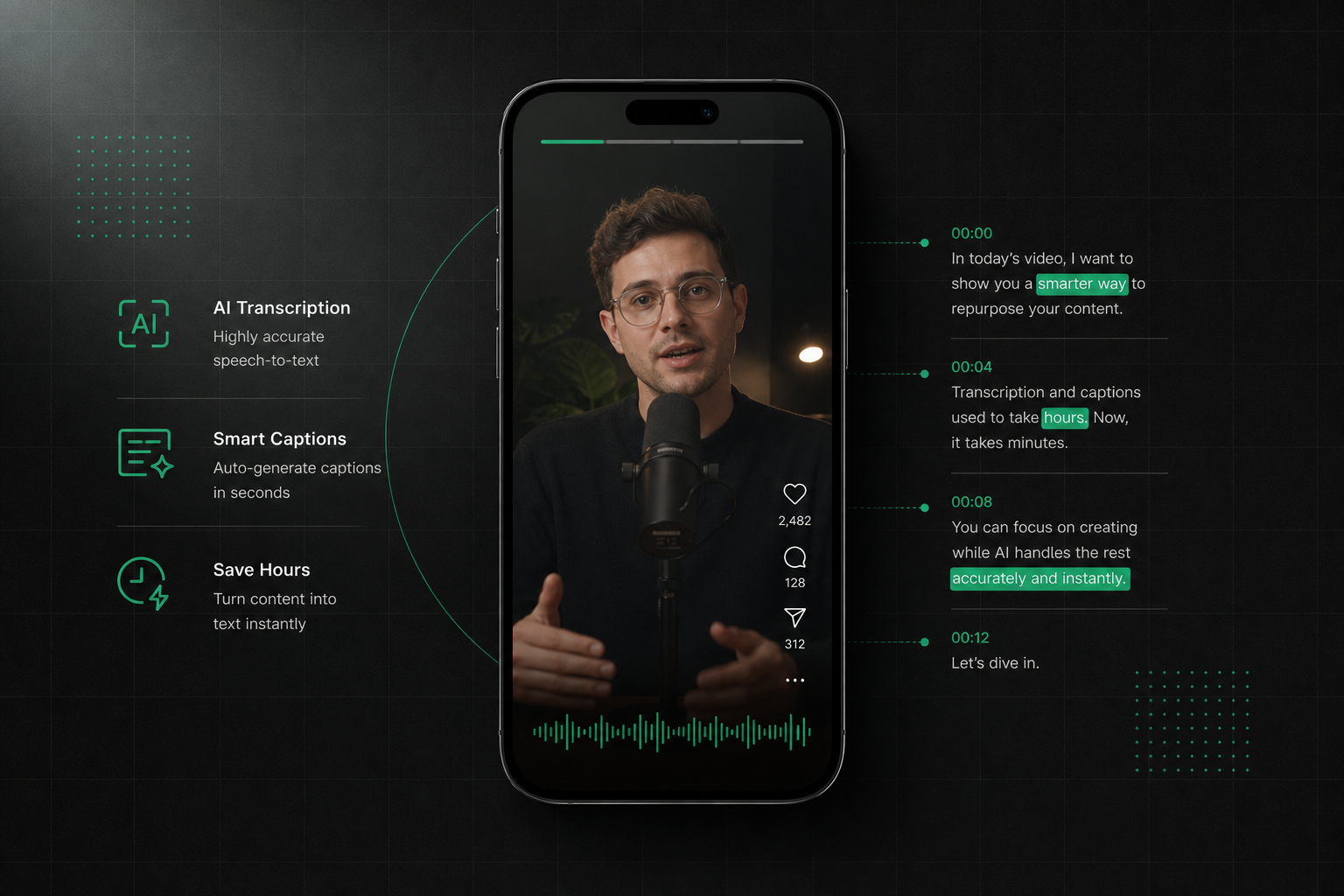
Transcription isn't just about captions. The verified workflow is based on copying a Reel's share link, pasting it into a transcription tool, and getting back timestamped text. One example tool says the spoken text returns in about 12 seconds, while another reports results in seconds and supports exports like SRT for captions, which makes the process practical for creators who publish often. The shift from plain text extraction to timestamped transcripts, translation, and caption export is what turn Reels into reusable content infrastructure.
Practical rule: If a Reel contains a useful idea, treat the transcript as the asset and the video as one delivery format.
There are three paths commonly used. The first is Instagram's native captions, which are convenient but limited. The second is manual transcription, which is slower but can be very accurate. The third is AI transcription, which is the only approach that scales cleanly when you're dealing with many Reels, multiple accounts, or research across competitors.
The right workflow depends on the job
Public, fast-moving content teams usually need more than a visible caption overlay. They need searchable text, timestamps, and an output they can reuse elsewhere. If your goal is only accessibility on-platform, native captions may be enough. If your goal is repurposing, analysis, or archive-building, you need a workflow that produces editable text you can move across channels.
The practical test is simple. If you can't easily search the Reel, quote it, or reuse it without replaying the video, you don't really own the content yet. Transcription fixes that.
Using Instagram's Native Auto-Captions
Instagram's built-in captions are the quickest place to start because they don't require another tool. Open the Reel, tap the three-dot menu, and look for the closed captions option if it's available on your device or in your region. When it appears, turn it on and use the captions as a baseline rather than a final transcript.
Where native captions help
Native captions are useful when you want a fast accessibility layer and don't need export files. They're also handy as a reference point before you move a Reel into a more advanced workflow. For creators who publish informally, the native option reduces friction because everything stays inside Instagram.
That convenience has limits. Captions inside the app are not built for serious editing, batch processing, or reuse in blog posts and reports. They're also harder to repurpose into another format because you're working inside Instagram's interface instead of a transcript editor.
Where native captions fall short
The biggest problem is control. You're dependent on whatever the app detects, and you don't get the kind of export flexibility that matters for content strategy. If the Reel includes brand terms, product names, or fast overlapping speech, the native caption layer can be a rough reference, not a publication-ready source.
If you need a related walkthrough for video text overlays, this guide on add captions to Instagram Stories is useful because it shows how captions behave as a formatting layer, not just a transcription result.
In practice, native captions are the easy button. They're good for checking accessibility and getting a quick sense of what was said, but the ceiling is low. Once your workflow depends on accuracy, exportability, or analysis across multiple clips, you outgrow the built-in option fast.
Manual Transcription for Perfect Accuracy
Manual transcription still has a place because human ears catch nuance that automation can miss. If you're dealing with a short clip, a critical quote, a sensitive brand statement, or messy audio, typing it out yourself can be the cleanest route. It's slower, but the result can be exact when you need full control.
The manual workflow
Open the Reel on a desktop or laptop if you can, then listen once all the way through before typing. After that, work in short sections, pausing and rewinding as needed. Use headphones, slow the playback where possible, and draft the transcript in a text editor so you can clean punctuation as you go.
Manual transcription is the benchmark for accuracy, but it pays for that accuracy in attention and time.
The practical upside is clarity. You hear every word in context, decide how to handle filler language, and can preserve or remove repetitions based on the final use case. That matters if the transcript will become a quote, a legal reference, or a source for a polished repurposed asset.
How to make it less painful
A few habits make the work more efficient. Keep a consistent formatting style for speaker labels, use keyboard shortcuts for pausing and replaying, and don't chase perfection on the first pass. Draft first, polish second.
Manual work also exposes where transcription quality breaks down. Background music, overlapped voices, accents, and compressed audio all slow the process. If you need one transcript, that's tolerable. If you need twenty, it becomes a bottleneck immediately.
That's the value of the manual method. It gives you a truth standard. Once you've done it the hard way, it becomes obvious why automated tools matter for repeatable workflows.
Accelerating Your Workflow with AI Transcription Tools
A Reel that would take half an hour to type by hand can become a working transcript in a few moments with the right tool. The usual workflow is simple, copy the Reel URL, paste it into a transcription tool, and let the software generate text automatically. That shift matters because the transcript is no longer the end goal, it becomes the starting file for editing, analysis, repurposing, and export.

What the paste-and-transcribe workflow gives you
TransClipper's Instagram transcript generator follows the model that works well for short-form video, paste a public Instagram Reel URL and get a transcript of the spoken audio. The platform also fits a wider workflow for Reels, Shorts, and TikTok-style clips because it supports transcripts, timestamps, and analysis in one place. If you want one concrete example of a tool built around this use case, the workflow is shown in the Instagram transcript generator.
AI tools change the pace of the job. One verified workflow reports results in a few seconds, another says most transcripts finish in 5 to 10 seconds, with longer clips done in under 30 seconds. A separate example says the spoken text can return in about 12 seconds, and another supports export formats like SRT for captions. That speed changes the economics of content work because transcription stops being a bottleneck and becomes a normal first step. Mictoo's Reel transcription workflow and TranscriptMagic's Instagram workflow
Why scale matters more than novelty
The primary advantage is volume, not novelty. Verified workflows show Reel files are often only about 5 to 20 MB, which is one reason they can be processed quickly when the link is public and the audio is clear. The better the tool handles direct Reel URLs, the less time you spend downloading, re-uploading, and waiting on a multi-step process. Mictoo's Reel transcription workflow
Useful heuristic: If a tool makes you download the Reel first, ask whether that extra step improves accuracy or just adds friction.
Language coverage matters too. Verified data shows one tool advertises support for more than 50 languages, another claims 99 languages, and another says 100+ languages. That makes Reel transcription useful for global content teams, multilingual creators, and researchers comparing clips across regions. TranscriptMagic's Instagram workflow
Once the transcript exists, it can feed the next stage of the workflow. You can use edit video transcript and voice as a practical example of how transcription turns into refinement, analysis, and repurposing instead of stopping at raw text.
How to Edit and Export Your Transcript for Any Platform
Raw AI output is a draft, not the finish line. Strong transcription tools still miss punctuation, proper nouns, brand terms, speaker boundaries, and code-switching between languages. If you want the transcript to work outside the tool, the edit pass is where it becomes usable content for search, captions, summaries, and repurposing.

Clean the text before you choose an export format
Start by fixing names, numbers, punctuation, and speaker labels. Read the transcript aloud as well, because awkward phrasing usually stands out as soon as it has to be spoken. If the Reel includes multilingual segments or brand-specific terms, correct those manually instead of trusting the first pass.
The workflow inside the video to text transcript generator works best once the transcript is already close to publication quality. At that point, you are refining and organizing the text, not rescuing it. That is the standard worth aiming for.
Pick TXT or SRT based on the job
TXT fits a blog post, newsletter, show notes, research file, or content brief. It stays simple, portable, and easy to edit. SRT makes more sense for captions, because the timing data stays tied to the spoken lines and can be uploaded back into a video workflow without rebuilding the transcript from scratch.
| Export choice | Best use | Why it matters |
|---|---|---|
| TXT | Blogs, notes, summaries, research | Easy to reuse as plain text |
| SRT | Captions, subtitle overlays, platform uploads | Keeps timestamps aligned with speech |
That distinction saves time later. Creators often export the wrong format, then rebuild the file by hand. Choose the format based on where the transcript is going next, not where it came from.
If you need a related editing angle, the guide on edit video transcript and voice shows how transcript cleanup can feed into other production steps after the initial text exists.
Build a repeatable quality checklist
Use the same final pass every time. Check that the first sentence reads cleanly, the CTA is intact, technical terms are spelled correctly, and timestamps still line up if you are exporting subtitles. That consistency turns transcription into a repeatable system instead of an occasional chore.
Advanced Strategies for Analysis Translation and Bulk Transcription
Once you can transcribe a single Reel quickly, the next gain comes from using transcripts as research data. That's where the workflow stops being about text conversion and starts becoming content intelligence. A transcript lets you compare hooks, CTAs, pacing, and structure across many videos without rewatching them endlessly.

Use bulk transcription for pattern spotting
When you collect multiple Reels in one place, transcript review becomes a lot more strategic. TransClipper's workflow supports bulk import of up to 50 video links at once, which makes it practical to study competitors, campaign variations, or a creator's own high-performing clips as a set rather than one by one. The value isn't just convenience, it's comparison. You can look for repeated hooks, recurring narrative shapes, and CTA placement across a batch instead of guessing from memory.
That's especially useful for agencies and brand teams. A searchable library of transcripts lets you revisit language choices, phrasing patterns, and opening angles without replaying every video from scratch. The output becomes a research file, not just a transcript.
Translation and analysis change the use case
Multilingual transcription matters because short-form content rarely stays inside one language market. Verified data shows Reel transcription tools now advertise 50+, 99, and 100+ language coverage, which makes translation a real operational feature instead of a novelty. That allows teams to compare or repurpose content across regions without rebuilding the workflow for each market. TranscriptMagic's Instagram workflow
The bigger shift is automated analysis. TransClipper's product description says it can break short-form videos into hooks, structure, and calls to action, and it also offers analysis features such as a viral score, hook segmentation, narrative structure labeling, and CTA detection. That means the transcript becomes a strategic brief, not just a readable file. You're no longer asking only what was said, you're asking why the video worked.
Know where the current gap still is
A current limitation in the broader market is multilingual nuance at scale. Existing guides note that tools often mention auto-detection or manual language selection, but they don't fully solve code-switching, accent handling, or speaker labeling across mixed-language clips. That gap matters for global brands because a rough transcript can still miss the creative mechanics that make the clip effective. Speak's Instagram transcript notes
For subtitle-focused workflows, tools for video subtitles can be helpful when your end goal is caption packaging rather than deeper analysis. But if you're looking at competitive content, export alone isn't enough. The transcript should also tell you what patterns keep showing up.
Putting Your Transcript to Work for SEO and Accessibility
A finished transcript shouldn't sit in a downloads folder. It's one of the few assets that can improve accessibility, search visibility, and content velocity at the same time. Once the Reel is converted into text, it can serve people who need captions, search engines that need crawlable context, and your own team that wants faster repurposing.

Use the transcript where it creates leverage
- SEO Boost: Put the transcript into a blog post or article so the ideas become crawlable text instead of hidden audio.
- Accessibility Win: Add the cleaned transcript or captions so people who rely on reading can follow the content more easily.
- Content Repurpose: Pull a Reel apart into a newsletter excerpt, LinkedIn post, or social thread without rewriting from zero.
- Analytics Deep Dive: Search the transcript for repeated phrases, sentiment, objections, or audience language that can shape the next video.
The internal content repurposing tool fits naturally here because the transcript starts feeding other formats. A single Reel can become multiple assets once the spoken text is structured well.
Think of transcripts as a content library, not an output file
This is the part that changes the economics of short-form publishing. Each transcript becomes searchable knowledge about how your audience speaks and reacts. Over time, you build a library you can mine for hooks, objections, and phrasing that already works in your niche.
Accessibility is the obvious win, but it's not the only one. Search engines can't index audio the same way they index text, and your team can't easily reuse a Reel if the only version lives in a video file. A transcript fixes both problems at once.
If you're serious about getting more from every Reel, start with a workflow that gives you accurate, timestamped text, then repurpose that text into the next asset. TransClipper is built around that exact idea, from Reel transcription to analysis and reuse. Visit it when you're ready to turn one video into a cleaner, faster content system.


