
On this page17 sections
You're halfway through a Reel review session, and the same problem keeps showing up. One clip had a strong hook, but you can't remember the exact wording. Another competitor video had a clean call to action, but pausing and replaying it again feels clumsy, and the note you typed from memory isn't precise enough to use.
That's where an Instagram video transcript changes the workflow. Instead of treating a Reel like a fleeting watch, you turn it into text you can search, compare, quote, sort, and study. For creators, social managers, and analysts, that turns scattered clips into a real working library.
Why Every Reel Deserves a Transcript
A creator opens last week's Reels and wants the exact hook that earned attention. The clip is still there, but the phrasing is gone from memory, and the caption doesn't help because the line was spoken on camera. A transcript fixes that immediately, because it gives the creator the words as text instead of forcing a rewatch loop.
A social manager has a different problem. They're collecting competitor clips, trying to spot the language patterns that keep repeating, and manually typing quotes from memory is slow and messy. A transcript turns each Reel into something searchable, copyable, and comparable across a whole niche.
Practical rule: if you expect to return to a Reel more than once, treat the transcript as part of the asset, not as an optional extra.
That shift matters because an Instagram video transcript is not just a subtitle layer. It becomes raw material for hooks, scripts, captions, briefs, and pattern research. Teams can pull exact lines into swipe files, break a video into sections, and compare how different creators open, frame, and close the same topic.
Instagram's format history makes this even more important. The platform launched video in 2013, Stories in 2016, and Reels in 2020, and Meta reported in 2022 that people were sharing Reels over 2 billion times per day across Facebook and Instagram, which shows how fast short-form video became a core content layer rather than a side format (Instagram transcript milestone history). When content moves that fast, transcripts stop being a nice-to-have and start functioning like infrastructure.
For anyone publishing or studying Reels in 2026, that infrastructure saves time and reduces guesswork. Instead of asking, “What did that video say again?”, you can ask better questions, like “Which opening line patterns keep showing up in my niche?” or “Which CTA phrasing appears most often in my best-performing clips?”
What an Instagram Video Transcript Is
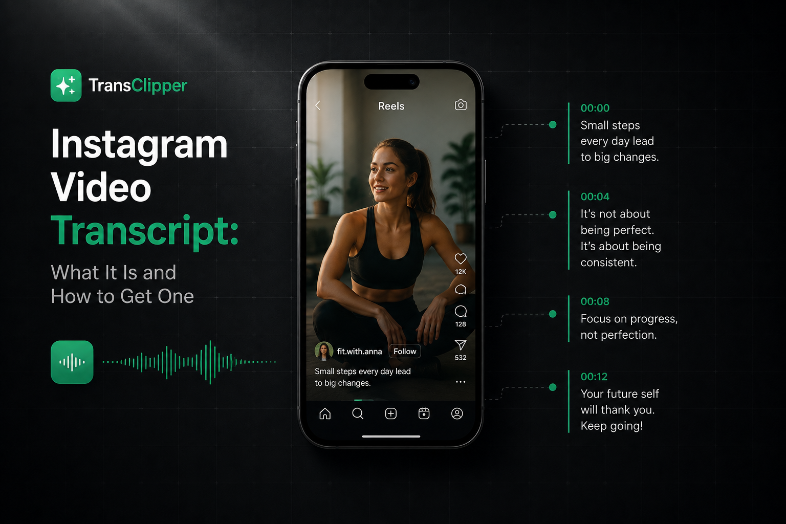
An Instagram video transcript is the written record of the spoken words in a Reel or in-feed video. Some tools attach timestamps, and some also add metadata such as duration, author, views, likes, and thumbnail. It works like a recipe card for a finished dish. The Reel is the plated result, and the transcript is the set of instructions you can study, remix, and reuse.
Three transcript types you'll run into
The first type is native captions, which the creator typed into Instagram. They can help when they exist, but they are not guaranteed to be there, and they only reflect what the creator entered.
The second type is auto-generated captions inside Instagram. These can support accessibility and quick review, but they still depend on what Instagram shows in the app.
The third type is what people usually mean in 2026 when they say transcript. It is an AI-generated transcript created by an external tool from the video itself. That version matters most for clips with no captions at all, or for accounts that need text outside the app.
While captions appear on-screen for viewers, a transcript is the text artifact used for research, notes, search, and automation.
That difference matters because different workflows need different outputs. A creator repurposing their own content may only need a clean text version. An agency building a competitor library may need timestamps, metadata, and exportable structure. A researcher may care less about polish and more about consistency across many clips.
A transcript is not the video itself, and it is not just subtitles either. It is the machine-readable record that lets you inspect the speaking pattern behind the clip. If you want a structured version for analysis or automation, an external transcript workflow such as TransClipper's developer tools can provide that format.
How the Transcript Pipeline Works Behind the Scenes
Most modern tools don't pull an embedded transcript from Instagram, because Instagram usually doesn't hand one over as a neat text field. Instead, the tool downloads the Reel or video, extracts the audio track, runs speech-to-text, and returns a timestamped transcript in JSON (how Instagram transcription pipelines work). That sequence explains why two tools can produce different results from the same clip.
Why accuracy changes from one Reel to another
The pipeline depends on the audio that comes out of the video. If the sound is clean, the transcript is usually easier to read. If the clip has background music, overlapping speakers, or poor recording quality, the model has more trouble separating speech from noise.
That's why the transcript is really a product of several moving parts, not a magic text extraction step. The model has to hear the words, map them correctly, and preserve enough timing detail for later analysis. If any of those parts weaken, the output starts to wobble.
What a useful output should include
A structured transcript is more valuable than plain text because it supports later work. Timestamped lines can help you identify where the hook starts, where the speaker changes pace, and where the call to action lands. Metadata also gives you a way to sort and filter clips instead of staring at a pile of text.
If you're evaluating tools for this kind of workflow, look for documentation that shows how the transcript is exposed to developers and what fields you can use. The developer view at TransClipper's developer page is one example of the kind of interface that makes this clearer.
The main idea is simple. If you understand the pipeline, you can diagnose bad output faster. You'll know whether the issue is the source audio, the speech model, or the way the tool packaged the transcript.
Three Ways to Get a Transcript and When Each One Fits
The right method depends on what you need the text for. A casual creator, a solo marketer, and a research team don't need the same workflow, because speed, precision, and scale matter differently in each case.
Native captions
Native captions are the easiest path when the creator already added them. You can read them directly, and sometimes that's enough for a quick scan or a rough quote. The limit is obvious, though, because many Reels don't have them, and they're not a good answer when you need to compare many videos at once.
Manual transcription
Manual transcription is the most controlled option. If a clip contains an important legal statement, a sensitive quote, or wording you need to capture exactly, typing it yourself gives you full human review. The tradeoff is scale. It's accurate when someone listens carefully, but it breaks down when a team needs to review lots of clips quickly.
AI transcript tools
AI tools handle the workflow you need. They download the video, extract the speech, and return a transcript quickly enough for day-to-day research. Some tools also support bulk import, multilingual output, and structured JSON, which makes them much more useful for recurring analysis than a one-off text dump.
For readers who want a broader implementation pattern, the guide on how to build a transcript scraper is useful context even though it focuses on another platform. The logic around structured extraction and repeatable collection still helps you think clearly about Reel workflows. For a lighter, repurposing-focused workflow, see how to transcribe video to text for free.
| Method | Speed | Best For | Main Limitation |
|---|---|---|---|
| Native captions | Fast when present | Quick review of clips that already include captions | Often missing or incomplete |
| Manual transcription | Slowest | High-stakes clips where every word matters | Doesn't scale well |
| AI tools | Fast and scalable | Competitor research, repurposing, bulk review | Quality depends on audio and model fit |
For most creators and teams, the default is clear. Use native captions when they already exist, manual transcription when precision matters more than time, and AI tools when you need speed, repeatability, and scale.
From One Transcript to a Research Library
A single transcript is useful. A library of them changes the work entirely.
When you collect dozens of transcripts into one place, you can start tagging them by theme, hook type, CTA style, or audience angle. That makes the transcripts searchable in a way that a folder of video files never is. It also lets you compare patterns across a niche instead of relying on memory and a few lucky examples.

What scaled research actually looks like
Some tools support bulk import, including pasting up to 50 links at once, queue processing, collection import, and playlist-style workflows. That matters because a marketer doesn't need one transcript. They need a repeatable way to gather many transcripts, store them, and search across them later. An API-driven setup like Scrape API from Context.dev fits that same logic when teams want to automate collection instead of doing everything manually.
Once the transcripts are in a library, you can ask better questions. Which hook formats keep showing up in finance Reels? How do CTAs differ between creators who keep getting shared and creators who sit in the middle? Do successful clips in a niche move fast, or do they use a slower setup before the payoff?
Useful habit: tag transcripts at the moment you collect them. If you wait until later, the patterns you wanted to study get buried under unlabelled text.
Agencies and brand teams usually find the most value here. They're not just saving words, they're building a structured reference system that can support scripting, campaign planning, competitive analysis, and internal training. If you want a content workflow that starts from stored transcripts and moves into reuse, TransClipper's repurposing tool sits in that space.
The result is a research library that behaves like an editorial archive. You're no longer guessing what works, because you can inspect the language itself.
Where Transcripts Break and How to Recover
The biggest misconception is that every Reel can be turned into clean text without friction. That's not how short-form video behaves in the wild.
When captions are missing or audio is muted
If a Reel has no captions, native methods have nothing to pull. If the audio is muted, heavily layered with music, or cut with fast edits, the transcript can come back thin, incomplete, or wrong. Those are not rare edge cases, they're normal short-form production choices.
When speech gets tangled
Two speakers talking over each other can confuse even a solid speech-to-text model. A creator speaking over a trending sound creates a similar issue, because the model has to separate human speech from the audio bed. Manual transcription can struggle too, not because a person can't listen, but because the source itself may be hard to interpret clearly.
The recovery playbook is practical. First, fall back to an AI transcription workflow that can handle messy audio better than a caption-only approach. Then use the video's visual context to resolve unclear lines, especially if on-screen text reinforces the spoken message. Timestamps help here because they let you match a phrase to a frame instead of guessing from memory.
If a phrase is hard to hear, don't force certainty too early. Use the timestamp, the visual frame, and the on-screen text together before you decide what the clip actually said.
The goal isn't perfection. The goal is usable meaning. For repurposing, pattern research, or accessibility notes, a transcript that captures the structure of the clip is often more valuable than a perfectly polished paragraph that ignores the video itself.
Rights Compliance and Safe Reuse in 2026
A transcript can help you study a Reel without giving you a free pass to reuse it however you want. That's the line agencies and brand teams need to respect.
Internal analysis is usually the lowest-risk use case. Teams can store transcripts in private libraries, compare competitor language, and build research notes from third-party content without republishing the text itself. Public reuse is different, because quoting, republishing, summarizing at scale, or using transcripts in model training can raise platform-policy and copyright questions.
For legal-sensitive workflows, it helps to keep the review path simple. Store transcripts in encrypted, role-based systems, export them only for internal review, and keep source provenance attached so the team knows exactly where each transcript came from. That way, the transcript remains an analysis asset, not an untracked copy of someone else's work.
Teams that need legal context often involve counsel early, especially when transcripts support competitive intelligence, internal knowledge bases, or content production pipelines. Tools aimed at lawyers, such as LegesGPT for lawyers, can help frame the questions that need answering before a transcript gets reused more broadly.

The operating principle is straightforward. You can usually study a transcript long before you should ship it.
Putting Transcripts to Work and Quick Answers
Start small and make the process repeatable. Pick one tool, test it on three Reels, and check whether the output gives you readable text, timestamps, and enough structure to search later. Then build a small tagged library and review it weekly so the patterns stay visible.
A simple workflow is enough for many teams:
- Choose one source of truth: Keep transcripts in one searchable place instead of scattering them across notes and downloads.
- Tag as you go: Mark hook type, CTA style, topic, and creator so you can compare clips later.
- Review for patterns weekly: Look for repeated openings, repeated phrasing, and repeated structure, not just isolated good clips.
- Use the transcript as a draft layer: Pull it into briefs, scripts, and competitive notes, then clean it up where needed.
| Question | Answer |
|---|---|
| Does an Instagram video transcript help with SEO? | It can support search, repurposing, and content planning, especially when you turn spoken ideas into text that can be indexed inside your own workflow. |
| Will it work on muted videos? | Not reliably from audio alone, so you'll usually need visual context or another source of text. |
| How accurate is it? | Accuracy depends on audio quality, speaker overlap, background music, and model alignment. |
| Is TransClipper only for large teams? | No, it also works for individual creators who want transcripts, analysis, and a searchable library. |
The core idea is simple. An Instagram video transcript isn't just text under a video, it's the shortest path from watching to understanding. In 2026, the creators and teams who treat transcripts as research infrastructure will move faster than the ones who treat them like an afterthought.
If you want a workflow that turns Reels into transcripts, structured analysis, and a searchable library, visit TransClipper and try it on a few clips from your own niche. It's built to help you move from watching videos one by one to comparing them as a body of research.


